POS & back office
What a Small Retail Store POS Does Well — and Where It Leaves You Stuck
A point-of-sale system's job is to take money quickly and accurately, and modern ones do it well. The trouble starts with everything either side of the transaction: serialised stock, hires, repairs, consignment, and the reporting that tells you whether the month worked.
- What POS handles: checkout, card payments, receipts, basic stock counts
- What it usually misses: per-serial records, hires, repairs, consignment
- Where the money leaks: unrecorded bench cost and untracked loans
- How a back-office system fits alongside your existing terminal
SKU counts versus serialised units
A POS treats stock as quantities of an identical product. That works for strings and picks. It fails the moment two units of the same model have different costs, conditions, and stories.
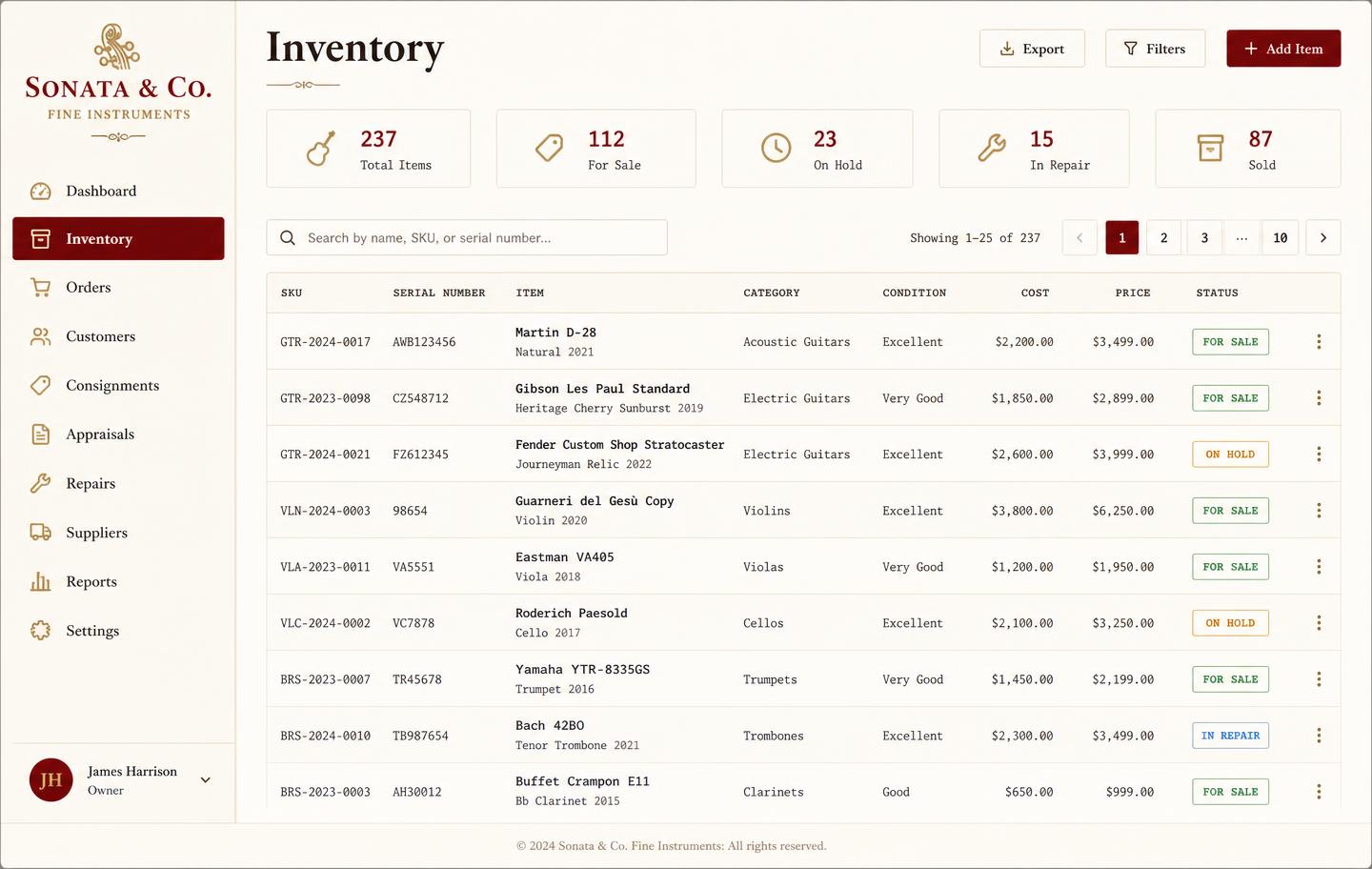
- Per-unit serial, condition, cost, and photographs
- Status per unit: for sale, on hold, on hire, in repair, sold
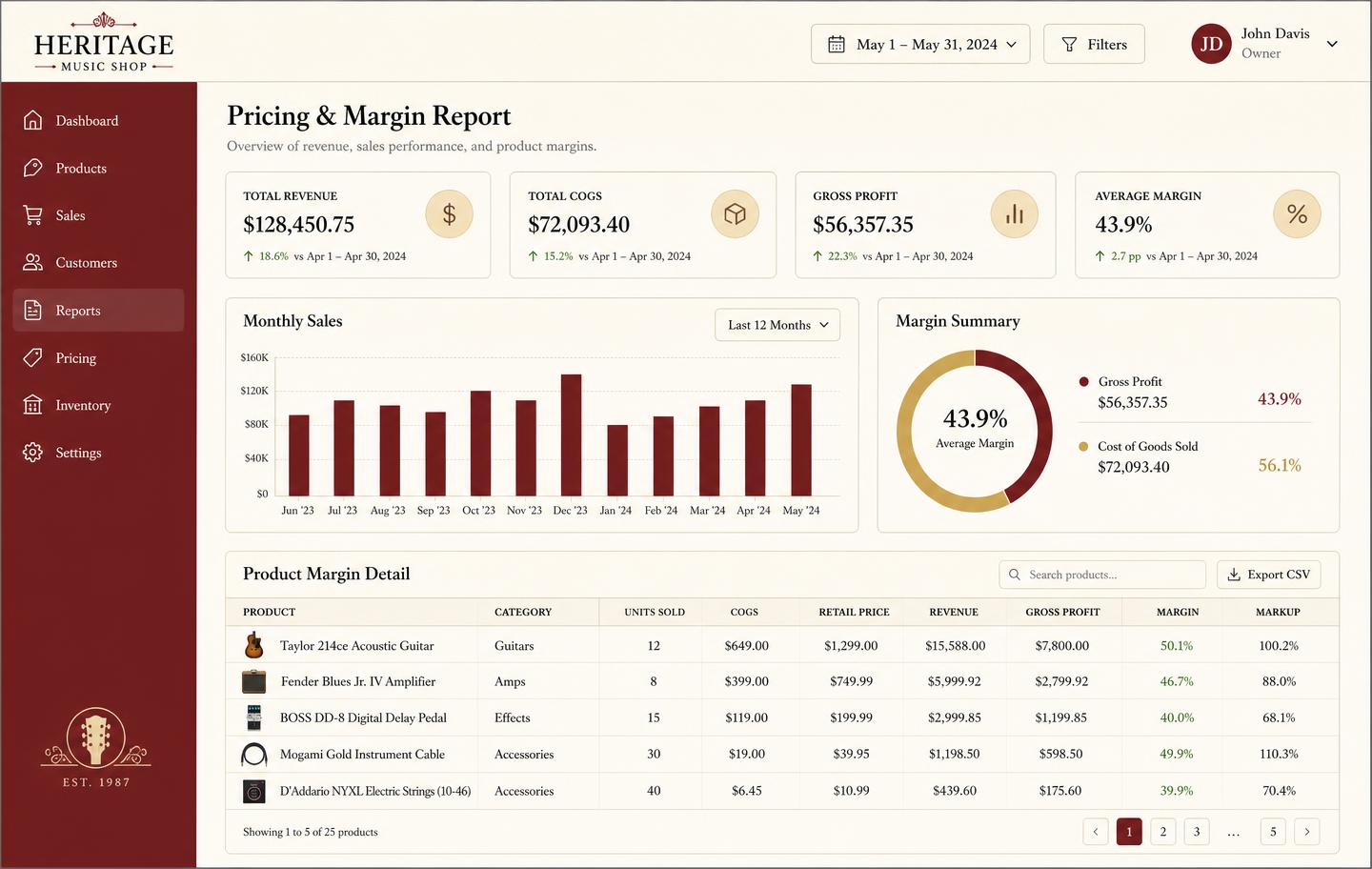
- True margin after setup, refurb, and parts
Anything that leaves the shop and comes back
Hires, loans, approvals, and repairs all involve an item leaving with a customer and returning. Terminals have no concept of that, which is why most shops fall back on a notebook.
Reporting that goes beyond takings
Daily takings are not profit. Segmented reporting across sales, hires, repairs, and lessons — with stock value and aging — is what tells you where the business actually makes money.
Keep the till, fix the back office
The cheapest path is usually not replacing your POS. It is putting a proper system behind it for the parts it cannot do.
See the workbench before you sign up
Inventory, pricing, lesson bookings, and instrument lending all live in the same back-office dashboard — no separate apps, no re-keying between them.
Honest note
Honest note: we are not a POS and will not pretend to be.
Music Shop Suite has no till, no card reader, and no cash drawer. Keep the terminal you already have. We handle the serialised inventory, rentals, repairs, customer history, and reporting that a retail POS was never designed for.
Frequently asked
- Is Music Shop Suite a POS system?
- No, and we say so plainly. It does not take card payments or run a till. It is the back office behind the till: inventory, customers, hires, repairs, and reporting.
- Can I use it alongside Square, Lightspeed, or another POS?
- Yes. Most shops keep their existing terminal for checkout and use Music Shop Suite for serialised stock, rentals, repairs, and reporting.
- Why would I need both?
- Retail POS systems are built for quantities of identical products. If your stock is serialised, hired out, or repaired, that detail has to live somewhere — and a spreadsheet is not it.
Keep exploring the workbench
Every part of the shop lives in one system. Follow the workflow closest to what you are trying to fix first.
- Best music store POS softwareHonest comparison of tills vs the back office.
- Music teacher softwareLessons, invoices, and the instruments you lend.
- All solutionsEvery workflow Music Shop Suite covers.
- Best music store management softwareCompare connected back-office options for a small independent shop.
- Track instruments by serial numberBuild a reliable unit history from intake through sale or rental.
- Pricing — $49/monthOne plan, every module, no per-seat surprises.
Sign up today
Run your shop on one workbench — starting today.
$49/month, no contracts, no trial. Import your spreadsheet, invite your team, and have inventory, repairs, rentals, and lessons in one place tonight.