Comparison
Lesson Scheduling Software vs Google Calendar
A calendar tells you where to be. It does not tell you who owes for a missed lesson, how many make-up credits are outstanding, or whether this term's invoices match this term's attendance. That gap is where teaching income leaks.
- Calendar: free, familiar, no memory of what was billed
- Software: attendance, credits and invoices in one chain
- Recurring terms handled as terms, not repeating events
- Make-ups and cancellations tracked against a balance
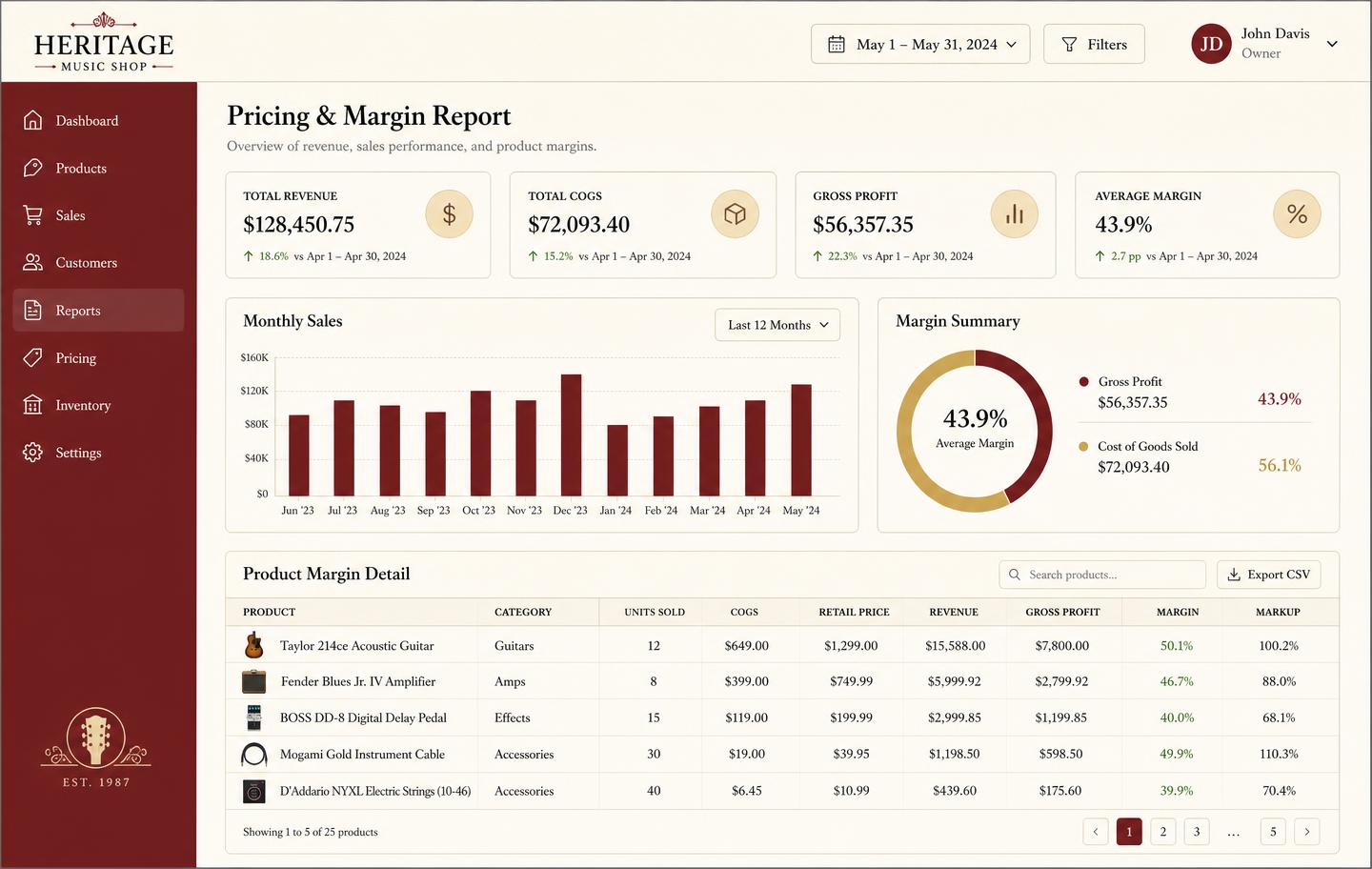
- Teacher pay and studio revenue reported per term
Where a calendar is fine
One teacher, stable slots, payment on the day. Nothing here beats a shared calendar and a notebook.
Where it starts costing you
Multiple teachers, a term of pre-paid lessons, and a run of cancellations. Reconstructing who is owed what from calendar entries takes an evening every month.
- No attendance record behind an event
- Make-up lessons untracked against a credit balance
- Invoices typed from memory at term end
- No view of revenue per teacher or room
What scheduling software adds
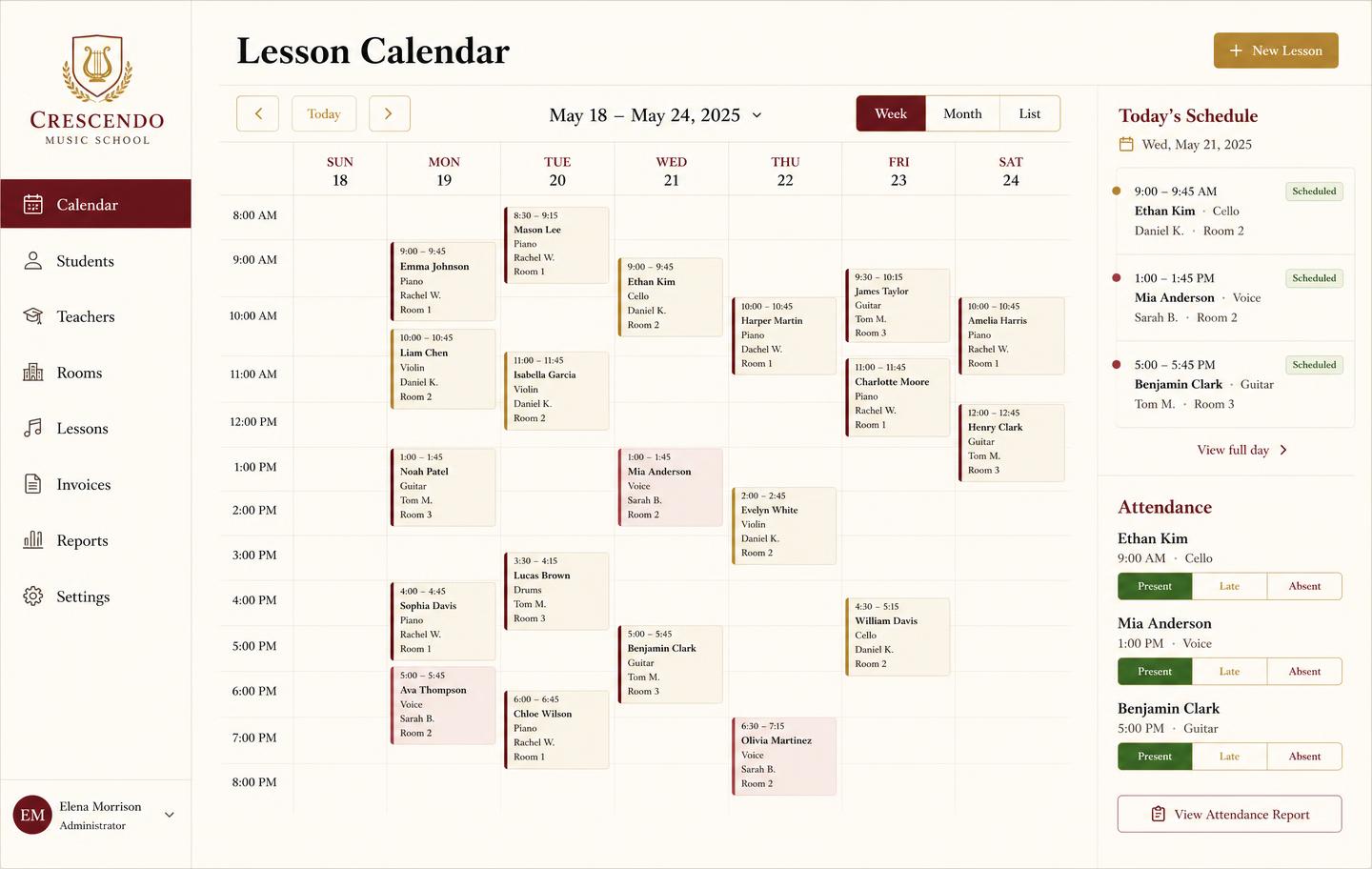
Terms, recurring slots, attendance marks, make-up credits and invoices that all reference the same record, so the numbers agree by construction.
Alongside the rest of the shop
For shops that also sell and rent, lessons sit next to stock, rentals and repairs in one $49/month system rather than a separate subscription.
See the workbench before you sign up
Inventory, pricing, lesson bookings, and instrument lending all live in the same back-office dashboard — no separate apps, no re-keying between them.
Frequently asked
- Is Google Calendar enough for a few students?
- For one teacher with a handful of weekly slots, yes. It stops working when make-ups, credits and invoices have to agree with what actually happened.
- Does this replace my calendar?
- It replaces the billing-critical part. Lessons, attendance and credits live here; you can keep your personal calendar for everything else.
- How does attendance affect invoices?
- Marks flow into billing, so a missed lesson becomes a credit or a charge according to your policy, without recalculating anything by hand.
Keep exploring the workbench
Every part of the shop lives in one system. Follow the workflow closest to what you are trying to fix first.
- Best music store POS softwareHonest comparison of tills vs the back office.
- Stocktake softwareCount by serial, reconcile loans, value the stock.
- Rental contractsAgreements by serial, deposits, and returns.
- Lesson attendanceMarks, make-ups, credits, and matching invoices.
- Multi-location shopsOne stock list, transfers, profit per store.
- Pricing — $49/monthOne plan, every module, no per-seat surprises.
Sign up today
Run your shop on one workbench — starting today.
$49/month, no contracts, no trial. Import your spreadsheet, invite your team, and have inventory, repairs, rentals, and lessons in one place tonight.