Repair work order management
Repair Work Order Management Software for Instrument Shops
A repair bench runs on memory until the day it doesn't. Music Shop Suite turns every job into a work order with an owner, a quote, a status, and a paper trail — so the front desk can answer the phone without walking to the back room.
- Intake with photos, condition notes, and accessories left with the instrument
- Quotes and customer approvals recorded before work starts
- Parts pulled from stock and labour logged against the job
- Bench queue by technician and by status
- Invoice that matches the work order line for line
Intake that protects you later
Most repair disputes are about the condition of an instrument before it reached your bench. Photos and notes captured at the counter end that argument before it begins.
- Photos and written condition at drop-off
- Case, strap, and accessory checklist
- Printed or emailed intake receipt for the customer
Quotes and approvals in writing
Work discovered mid-job needs a decision, not an assumption. Putting a job into awaiting-approval keeps the bench honest and the invoice uncontested.
- Agreed quote stored on the job
- Revised figures recorded with the date agreed
- No surprise invoices at pickup
Parts, labour, and the real margin on a repair
Repairs can be your best margin or a quiet loss. Logging parts and hours against each job shows you which kinds of work actually pay.
- Parts drawn from inventory and costed
- Labour hours per technician
- Margin by job type across the month
A bench queue everyone can read
Status is what the customer is calling about. One shared queue means every member of staff gives the same answer.
- Intake, awaiting parts, on bench, awaiting approval, ready, collected
- Per-technician workload view
- Full repair history on the customer record
See the workbench before you sign up
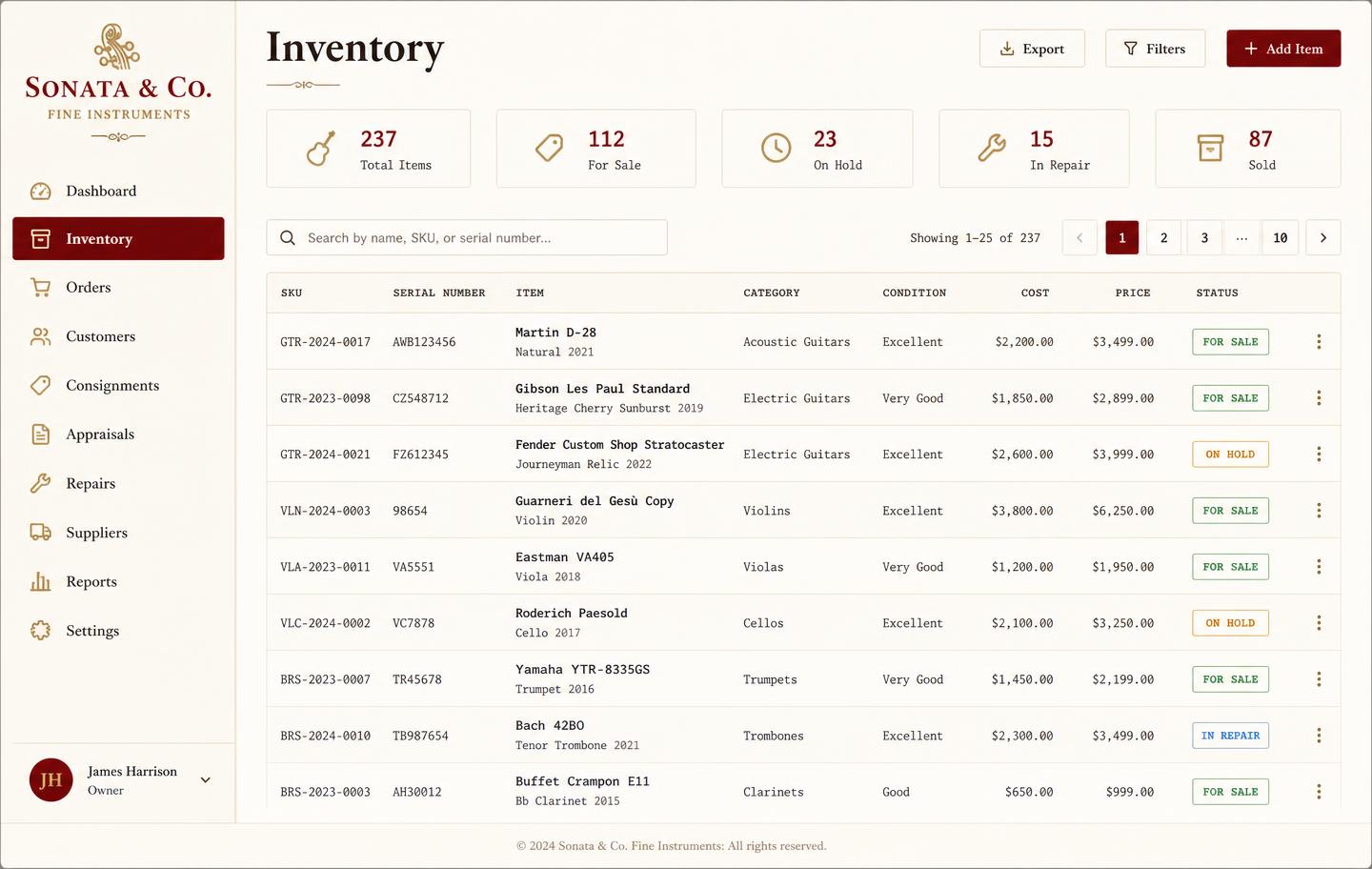
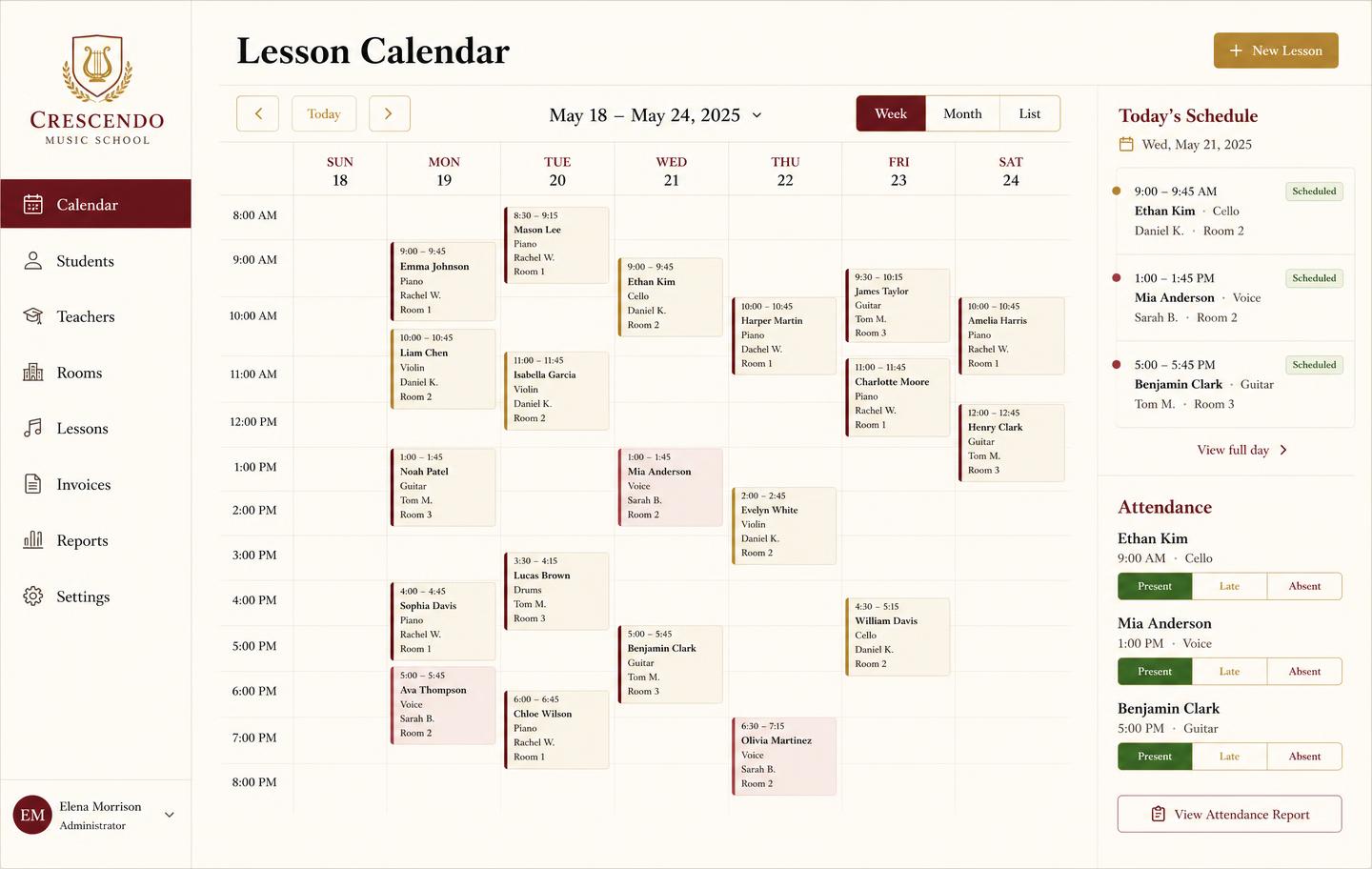
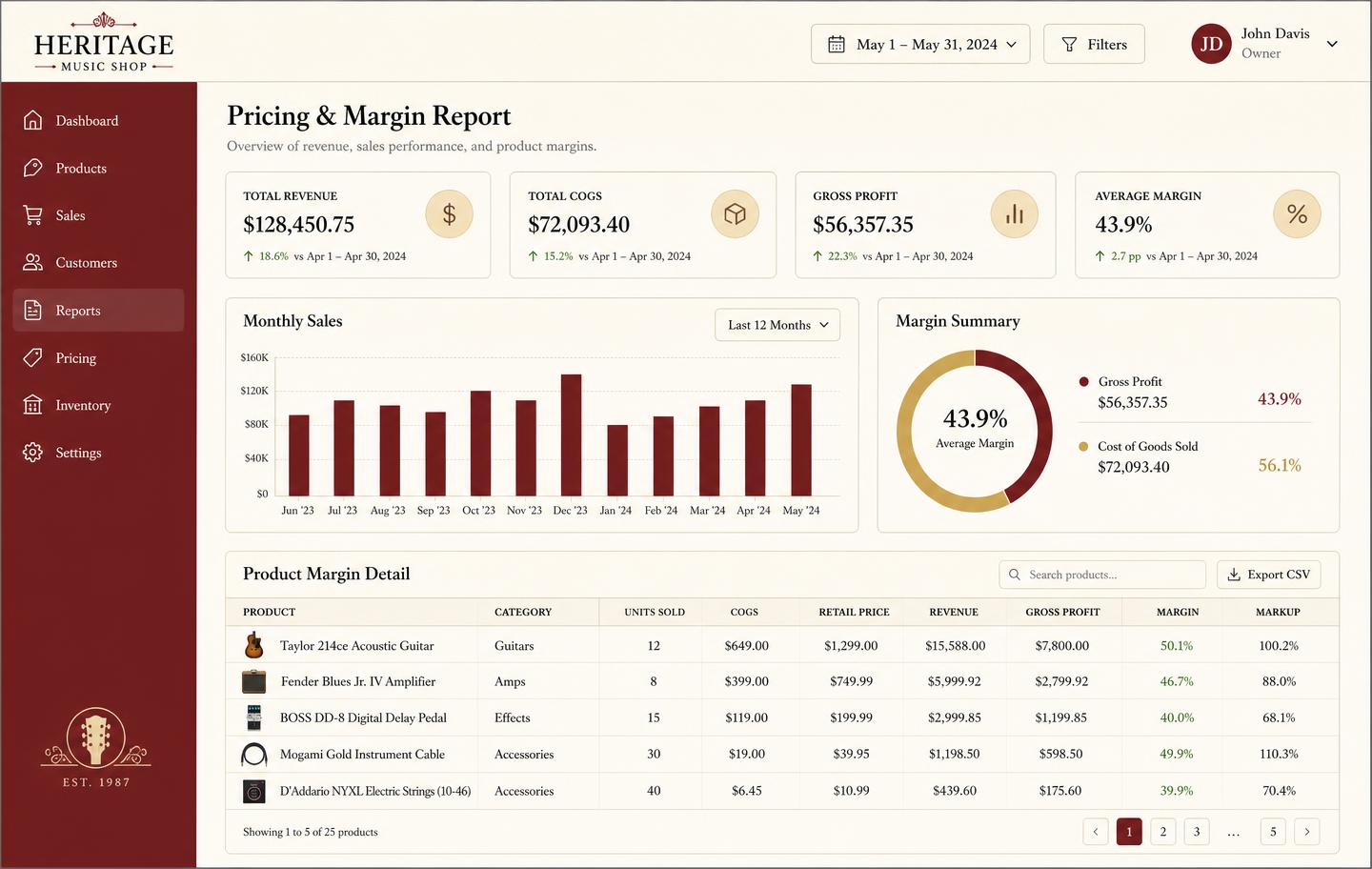
Inventory, pricing, lesson bookings, and instrument lending all live in the same back-office dashboard — no separate apps, no re-keying between them.
Honest note
Workshop system, not a till
Take payment however you already do. Music Shop Suite owns the job record, the parts, the labour, and the history.
Frequently asked
- What does a work order contain?
- Customer, instrument, intake photos and condition notes, the agreed quote, parts used, labour hours, technician, status, and the final invoice total.
- Can customers approve extra work?
- Yes. A job can be put into an awaiting-approval state with the revised figure recorded, so nobody bills for work the customer never agreed to.
- Do parts come out of my inventory?
- Parts used on a job are recorded against the work order and taken from stock, so your bench does not quietly drain the accessory wall.
- Can I see which jobs are ready for pickup?
- There is a status queue: intake, awaiting parts, on the bench, awaiting approval, ready for pickup, and collected.
Keep exploring the workbench
Every part of the shop lives in one system. Follow the workflow closest to what you are trying to fix first.
- Best music store POS softwareHonest comparison of tills vs the back office.
- Lesson schedulingRecurring terms, attendance, and billing that agrees.
- POS vs back officeWhat a retail till misses, and how to fill it.
- Vintage guitar inventoryProvenance, originality notes, and true margin.
- Stocktake softwareCount by serial, reconcile loans, value the stock.
- Pricing — $49/monthOne plan, every module, no per-seat surprises.
Sign up today
Run your shop on one workbench — starting today.
$49/month, no contracts, no trial. Import your spreadsheet, invite your team, and have inventory, repairs, rentals, and lessons in one place tonight.